
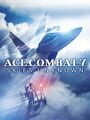
Ace Combat 7: Skies Unknown System Requirements — System Requirements
Minimum | Low | ★ Best valueRecommended | High | Ultra | |
|---|---|---|---|---|---|
| Settings | Low | Medium | High | High | Ultra |
| Performance | 1080p30 FPS | 1080p60 FPS | 1080p60 FPS | 1440p60 FPS | 4K60 FPS |
| GPU (NVIDIA) | NVIDIA GeForce GTX 750Ti(2GB) | NVIDIA GeForce GTX 960 (2GB) | NVIDIA GeForce GTX 1060 (3GB) | NVIDIA GeForce RTX 2070 Super (8GB) | NVIDIA GeForce RTX 4070 (12GB) |
| GPU (AMD) | — | AMD Radeon RX 470 (4GB) | — | AMD Radeon RX 5700 XT (8GB) | AMD Radeon RX 7800 XT (16GB) |
| CPU (Intel) | Intel Core i3-7100 | Intel Core i5-7400 | Intel Core i5-7500 | Intel Core i7-9700K | Intel Core i7-12700K |
| CPU (AMD) | — | AMD Ryzen 5 1600 | — | AMD Ryzen 5 3600 | AMD Ryzen 7 5800X3D |
| RAM | 4 GB RAM | 8 GB | 8 GB RAM | 16 GB | 16 GB |
| Upscaling | Native | Native | Native | FSR 3.1 | DLSS 4 |
| Frame Gen | — | — | — | — | — |
| Ray Tracing | Off | Off | Off | Off | Off |
Minimum
This tier is purely for 1080p 30fps on a budget—disable all post-processing effects (motion blur, lens flare) and cap shadow distance to gain stability. The GTX 750 Ti's 2GB VRAM is the real bottleneck here; keep textures at Low and you'll avoid stuttering.
Low
Jump to 1080p 60fps with a GTX 960 or RX 470 by enabling Medium settings and leaving effects at Medium—this arcade flight sim doesn't demand ultra shadows or volumetrics. Anisotropic filtering at 16x is free and makes cockpit details pop without FPS loss.
Recommended
The GTX 1060 3GB hits the sweet spot for High settings at 1080p 60fps; this is where the game looks genuinely good without compromise. No upscaling needed at this tier—native rendering is stable and the visual quality jump from Low is substantial.
High
1440p 60fps with FSR 3.1 Quality mode on a RTX 2070 Super keeps the game buttery smooth while maintaining High visuals; FSR 3.1 is spatial upscaling here, so Quality mode is essential to avoid softness. You can safely enable all effects at High—this game isn't RT-heavy, so CPU/GPU balance is excellent.
Ultra
4K 60fps with DLSS 4 Quality on an RTX 4070 delivers the definitive experience; DLSS 4's neural upscaling is nearly indistinguishable from native at this resolution. Frame Generation isn't necessary since you're already hitting 60fps, and Ace Combat 7 doesn't benefit from the added latency in a competitive flight sim.
Storage
50 GB available space
DirectX
Version 11
Performance estimated from PC requirements and console hardware specs. Actual results depend on developer optimization.
System-wide PSSR 2.0 upscaling — automatically enhances visuals without per-game patches.
This is where Ace Combat 7 truly shines: Quality mode delivers 4K 60fps with PSSR 2.0 system-wide upscaling, giving you the best of both worlds without sacrificing responsiveness. PSSR 2.0's ML-based upscaling is a generational leap over base PS5's FSR 3.1—edges are cleaner and the image feels more stable during fast camera pans.
Upscaling is game-dependent (FSR). No PSSR support.
Performance mode (1440p 60fps) is the way to go for this arcade flight sim—60fps makes your inputs feel snappier during dogfights, and High settings look sharp on a modern TV. Quality mode's 4K 30fps FSR 3.1 upscaling is visually impressive but the halved framerate makes combat feel sluggish by comparison.
~17% stronger GPU than base PS5. FSR per game, no proprietary ML upscaler.
Performance mode (1440p 60fps) matches PS5's output and feels equally responsive; the lack of native upscaling means you're getting native rendering, which is actually preferable for a flight sim where clarity matters. Quality mode's 4K 30fps FSR 3.1 is comparable to base PS5, so stick with Performance unless you're on a 4K display and willing to trade responsiveness.
Compact and affordable. Limited ray tracing, lower resolution than Series X.
1080p 60fps Performance mode is the only viable choice here—the Series S's 10GB RAM and weaker GPU mean 1440p Quality mode at 30fps feels sluggish and visually compromised. Medium settings at 1080p 60fps deliver a solid arcade experience, though you'll notice lower texture resolution compared to Series X.
Handheld PCs use integrated APUs — significantly lower than desktop. Upscaling (FSR) is practically required for AAA titles.
Low–Medium settings, FSR 3.1 upscaling for stable 60fps on native 800p display
Medium settings, 45fps with VRR for smooth handheld experience
Optimized mode (800p 60fps with FSR 3.1) is the ideal target—60fps feels responsive for flight combat, and FSR 3.1 Quality mode looks clean on the 7.9" OLED panel. Battery impact is moderate (~3-4 hours); if you need longer sessions, drop to Balanced mode (45fps) and gain an extra 1-2 hours with minimal responsiveness loss thanks to VRR.
Medium–High settings with FSR 4 ML upscaling, excellent handheld performance
High settings native 1080p, 40fps with VRR on 120Hz display
Optimized mode (1080p 60fps with FSR 4) is excellent—the Z2 Extreme's extra GPU power over Deck means you get native 1080p with ML upscaling, and 60fps is perfect for dogfights. Battery life is 2-3 hours at 60fps; if you want 4+ hours, cap at 40fps native 1080p and the game remains very playable for a story-driven flight sim.
Medium settings with FSR 4, 60fps on large 8.8" OLED display
High settings upscaled to 1440p, 40fps with VRR on 144Hz display
Optimized mode (1200p 60fps with FSR 4) leverages the 8.8" OLED's size beautifully—FSR 4's ML upscaling on RDNA 3.5 looks sharper than Deck's FSR 3.1, and the larger screen makes the cockpit feel immersive. Battery is 2-3 hours at 60fps; Quality mode (1440p 40fps with FSR 4) is also excellent if you're docked or plugged in, offering the best visual fidelity on any handheld.
Achieving 120fps requires an RTX 5070 Ti or RX 9070 XT with DLSS 4 Balanced or FSR 4 Performance mode at 1440p; lower to Medium settings and disable post-processing to push past 100fps stable. Frame Generation isn't necessary since Ace Combat 7 isn't CPU-bottlenecked, and the added latency would actually hurt your dogfight precision—native 120fps is the goal here.
The Recommended tier (GTX 1060 at 1080p High 60fps) offers the best value—it's a 5-year-old card that still crushes this game at native resolution without upscaling overhead. If you want 1440p, the High tier's RTX 2070 Super + FSR 3.1 is only slightly more expensive used and gives you a 50% resolution bump with imperceptible quality loss.
GTX 1060 users should jump to an RTX 5070 ($549) for 1440p native or 4K with upscaling—that's a 3-4x performance leap and unlocks DLSS 4. RTX 3060 owners can comfortably skip this generation; the 3060 already handles 1440p 60fps, and the 5070 only adds ~30% performance—wait for RTX 5000 Super or next-gen. RTX 4060 users should upgrade to RTX 5070 for meaningful gains (50% faster) and DLSS 4 MFG access, though the 4060 still plays Ace Combat 7 fine at 1440p Medium.
Ace Combat 7 is a well-optimized 2019 title that scales beautifully across all hardware tiers—it's GPU-bound with minimal CPU demands, making it ideal for testing upscaling tech. The game has no ray tracing, so optimization focuses on shadow quality and effects; even the Minimum tier delivers playable 30fps, while the Recommended tier (GTX 1060 1080p High) is the true sweet spot for 2026 gaming. PS5 Pro's PSSR 2.0 system-wide upscaling is the standout console experience, delivering 4K 60fps that rivals high-end PC setups. For handhelds, this arcade flight sim thrives at 60fps thanks to responsive input requirements—Steam Deck OLED and ROG Ally X both deliver excellent experiences with 3-4 hour battery life at optimized settings.
Where to buy
- Requires a 64-bit processor and operating system
- OS *: Windows 7 / 8 / 8.1 / 10 (64-bit OS required)
- Sound Card: DirectX 11 sound card