
Kingdom Come Deliverance 2 Mods & Console Commands: Complete May 2026 Guide

Kingdom Come: Deliverance 2's modding community is mature and thriving. This guide covers how to install mods via Steam Workshop or manually, essential console commands with devmode setup, and the best quality-of-life mods that actually improve the experience without breaking the game.

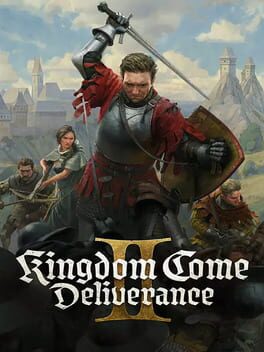
Kingdom Come Deliverance 2 Mod Guide: Console Commands & Best Mods for May 2026
Kingdom Come: Deliverance 2 released in February 2025 to immediate critical acclaim, and the modding community has been working overtime ever since. By now, we're well past the initial chaos of launch-day mod incompatibilities. The ecosystem has matured. Developers have patched their mods to match game updates, new tools have emerged, and the community has figured out what actually works. If you've been waiting for the right moment to jump into modding KCD2—or you're revisiting the game after a few months away—this is it.
This guide covers everything: how to install mods correctly, the best quality-of-life improvements available, essential console commands, and exactly how to set up your game to use cheats without breaking anything. Whether you're a first-time modder or someone who's been tinkering since day one, you'll find practical, tested information here.
How to Install Kingdom Come Deliverance 2 Mods: Three Methods
Warhorse Studios made modding more accessible in KCD2 than in the original game. That said, there are three distinct installation paths, and choosing the right one matters.
Method 1: Steam Workshop (Recommended for Beginners)
This is the easiest approach. If you own the game on Steam, you're already set up.
- Find the mod on the Kingdom Come: Deliverance 2 Steam Workshop
- Click the green "Subscribe" button
- The mod downloads automatically and activates when you launch the game
That's genuinely it. Steam Workshop mods load first, before any manually installed mods, and they update automatically. The trade-off: Steam Workshop has fewer mods than Nexus Mods, and some creators only publish to Nexus.
Pro tip: If a Workshop mod breaks after a game patch, the creator will usually push an update within a few days. You don't need to do anything—it just works.
Method 2: Manual Installation (Maximum Control)
This is what you need if you're downloading from Nexus Mods or other third-party sites.
- Locate your game directory. On Steam, right-click the game in your library, select Manage, then Browse Local Files. This opens something like C:\Program Files (x86)\Steam\steamapps\common\KingdomComeDeliverance2
- Create a folder named Mods in the root game directory (if it doesn't exist)
- Download the mod from Nexus Mods. Click "Manual Download" and choose "Slow Download" (Fast Download requires a paid account)
- Extract the .zip file using 7-Zip or WinRAR
- Place the extracted folder inside your Mods directory
- Launch the game. The mod loads automatically if it contains a valid mod.manifest file
Manual installation gives you control over mod load order. By default, mods load alphabetically. If you need to change that—say, one mod depends on another—create a file called mod_order.txt in your Mods folder and list each mod folder name in the order you want them to load.
Important: Some mods don't follow standard folder structure. Always check the mod's description page for installation notes. A few mods require you to edit user.cfg files or install third-party tools like ReShade. Follow the creator's instructions exactly.
Method 3: Third-Party Mod Managers (Advanced)
Tools like Vortex (by Nexus Mods) or the KCD2 Mod Manager can automate installation and load ordering. These aren't officially supported by Warhorse Studios, but they work reliably if you know what you're doing.
For most players, stick with Methods 1 or 2. Mod managers add complexity without much benefit unless you're juggling 20+ mods.
Essential Console Commands: How to Enable & Use Them
Console commands in KCD2 require developer mode, which is disabled by default. Enabling it is straightforward but easy to mess up.
Enabling Developer Mode
There are two approaches depending on where you own the game.
Steam:
- Right-click Kingdom Come: Deliverance 2 in your Steam library
- Select Properties
- Click "Set launch options..." under the General tab
- Type -devmode (with the hyphen)
- Close the window and launch the game
Epic Games Store or GOG:
- Find the game's installation folder (usually in Program Files)
- Navigate to Bin\Win64MasterMasterSteamPGO
- Right-click KingdomCome.exe and create a shortcut on your desktop
- Right-click the shortcut, select Properties, and find the Target field
- At the end of the path (after the closing quote), add -devmode
- Save and use this shortcut to launch the game
Once devmode is active, press the tilde key (~, above Tab) while in-game to open the console. A black box appears at the top-left. Type commands here.
A note: If the tilde key doesn't work, your keyboard layout might be set to something other than US English. This is a known quirk. Switch your Windows keyboard layout to English (US), restart the game, and try again.
Core Console Commands
These commands work with devmode alone—no mods required. All are prefixed with wh_.
| Command | Effect | Example |
|---|---|---|
| wh_cheat_money | Add groschen to your inventory | wh_cheat_money 50000 |
| wh_cheat_addItem | Spawn any item by UUID | wh_cheat_addItem [UUID] |
| wh_cheat_immortal | God mode—take no damage | wh_cheat_immortal |
| wh_cheat_invisible | Invisibility mode | wh_cheat_invisible |
| wh_cheat_kill | Kill targeted NPC | wh_cheat_kill |
| goto | Teleport to coordinates | goto 2972.76 897.08 65.32 |
| wh_sys_NoSavePotion | Save anywhere without Saviour Schnapps | wh_sys_NoSavePotion = 1 |
| wh_pl_LockPickingShakeOverride | Disable lockpicking camera shake | wh_pl_LockPickingShakeOverride = 0 |
| wh_horse_StealCurrentHorse | Claim any horse you're riding | wh_horse_StealCurrentHorse |
For item spawning, you need the UUID (a long alphanumeric code). The community has compiled massive databases of these. The easiest approach: install the Cheat mod (see next section) and use its name-based commands instead.
Cheat Mod: Enhanced Console Commands
The Cheat mod via Nexus Mods extends devmode with user-friendly commands. Instead of hunting for item UUIDs, you can spawn items by name.
Cheat Mod Commands (prefixed with cheat_):
| Command | Effect | Example |
|---|---|---|
| cheat_add_item | Spawn item by name | cheat_add_item any:longsword |
| cheat_find_items | Search for items by keyword | cheat_find_items any:armor |
| cheat_add_money | Add groschen | cheat_add_money 10000 |
| cheat_add_buff_immortal | Temporary god mode | cheat_add_buff_immortal |
| cheat_add_skill_levels | Boost a skill | cheat_add_skill_levels Alchemy 10 |
| cheat_add_perk | Unlock a perk | cheat_add_perk PerkName |
To install: Download the Cheat mod from Nexus, extract it into your Mods folder, and restart the game. Then enable devmode as described above. The cheat_ commands work alongside wh_ commands.
Fair warning: Using cheats disables achievements. If you care about those, use mods instead of console commands.
Best Kingdom Come Deliverance 2 Mods: Organized by Category

The KCD2 modding scene is split between two camps: quality-of-life improvements and gameplay overhauls. Most players mix both. Here's what's actually worth installing in May 2026.
Quality-of-Life Mods (The Essentials)
Loot Info
This tiny mod displays a status indicator next to every lootable container—"Searched" if you've already opened it, "Empty" if there's nothing left, nothing if you haven't touched it. Sounds minor. It's not. After 20 hours, you'll wonder how you ever played without it. No balance changes, just information.
Easy to See Herbs
Herb picking in KCD2 is absurdly tedious without this. Herbs blend into the vegetation so thoroughly that you'll walk past valuable plants without noticing. This mod highlights them. Yes, it's a quality-of-life crutch. Yes, you need it.
First Person Herb Picking
Tired of the camera snapping to third-person every time you pick an herb? This keeps the first-person view. Small change, massive immersion boost.
Unlimited Saving II
Normally, you can only save by consuming Saviour Schnapps potions, which are expensive and limited. This mod lets you save anywhere, anytime. It's not cheating—it's respecting your time. If you're a completionist who'll reload 40 times to get a perfect lockpick, you need this.
Fast Launch
Skip the opening cinematics and load straight into the game. Sounds trivial until you're starting your third playthrough.
Keep Crossbow Cocked
Allows you to switch weapons while keeping a crossbow loaded. Normally, switching weapons unloads it. This mod fixes that oversight.
Gameplay Adjustment Mods
WeightRadiusXP
A three-in-one mod that increases your carrying capacity, expands the range for herb picking, and boosts XP gains. It's not game-breaking—it just removes tedium. Perfect for second playthroughs when you're tired of juggling inventory space.
Realish Enemies
Combat in KCD2 is brutal and unforgiving. This mod makes enemies smarter and more consistent without breaking difficulty. They block ripostes more reliably, react faster to your moves, and feel less like scripted patterns. If you've felt like combat is inconsistent, this is the fix.
Easy Combat
If Realish Enemies is too hard, this makes enemies unable to block your ripostes. You can still be parried on regular attacks, so there's strategy involved. It's a middle ground between vanilla and hard.
Remove Fog of War
Reveals the entire map immediately instead of gradually uncovering it. Some players hate this—it removes exploration. Others love it because they hate getting lost. Use it if you want.
Sleep Less (Get Sleepy Slower)
Slows the rate at which your energy depletes, so you need to sleep less frequently. Particularly useful on second playthroughs when you're tired of the sleep-travel-sleep loop.
No Fast Travel
Disables fast travel entirely, forcing you to journey across the map. This is the opposite of Sleep Less—it's for players who want more immersion and don't mind the extra time investment. Pairs well with Sleep Less for balance.
Economy & Merchant Mods
Rich Merchants
Merchants start with more money in their pockets, meaning they can buy more of your loot before running out of cash. Combined with Daily Trader Restock, this makes the economy less punishing.
Daily Trader Restock
By default, merchants restock their inventory every 7 in-game days. This changes it to daily. Great for second playthroughs when you want to sell bulk loot without waiting.
Cheaper or More Expensive Repairs
Adjusts repair costs. Lower them if you're tired of bleeding money on maintenance, or raise them for hardcore mode where equipment degradation actually matters.
Immersion & Realism Mods
Magic Horse Shoes
Your horse becomes maxed out permanently. It's a quality-of-life mod disguised as fantasy. Your horse stops being a liability and becomes an actual asset.
No Food Spoilage
Food no longer spoils. Normally, you have to eat before your provisions go bad, adding inventory pressure. This removes that annoyance.
Longer Potion Effects
Potions last longer, reducing the need to constantly brew new ones. Alchemy is already tedious—this makes it less so.
More Stamina
You start with more stamina and recover it faster. Combat becomes less about stamina management and more about actual sword skill. Some say it trivializes difficulty; others say it fixes a bad mechanic.
Pugilistic Henry
Unlocks the unarmed master strike, letting you use advanced combat moves in bare-knuckle fights. Without it, unarmed combat is deliberately weak.
Luck & Dice Mods
Luck Laid Bare
Shows the exact dice roll probabilities when you examine dice in your inventory. If you're going to gamble, at least know the odds.
Visual & UI Mods
Thinner Health and Stamina HUD
The redesigned health/stamina bars in KCD2 are chunkier than in the original. This mod makes them slimmer and less obtrusive. Pure visual preference, but it matters if you're sensitive to UI clutter.
Mod Load Order & Compatibility
With more than a few mods installed, load order becomes critical. Mods that modify the same systems can conflict.
By default, mods load in this order:
- Steam Workshop mods (determined by Steam's internal ordering)
- Manually installed mods in alphabetical order
If you need to override this, create a file called mod_order.txt in your Mods folder and list each mod folder name, one per line, in the order you want them to load. Any mods not listed will be disabled.
General rule: Load-order-dependent mods usually document their requirements. If a mod says "Load after X," do it. If you're not sure, put mods that add items or perks before mods that modify mechanics.
Tip: If a mod stops working after a game patch, check if the creator has updated it. KCD2 patches sometimes invalidate mods. The creator will usually push an update within a few days. If they don't, the mod is abandoned—uninstall it.
Troubleshooting: Common Mod Problems
Mod not loading?
First, check that the folder contains a valid mod.manifest file. If it's missing, the game won't recognize it. Some mods from Nexus are packaged as .pak files (compressed). Rename the .pak to .zip, extract it, and place the folder in your Mods directory.
Game crashes on startup?
A mod is incompatible with your current game version. Check each mod's page on Nexus—if it says "Last updated [old date]," it's probably broken. Remove it and check for an updated version. If none exists, the mod is dead.
Console commands not working?
Make sure you added -devmode to your launch options (Steam) or shortcut (Epic/GOG). Restart the game after changing launch options. If the tilde key still doesn't work, switch your keyboard layout to English (US).
Mods work but achievements are disabled?
This is intentional. Warhorse Studios disables achievements if any mod is active. If you want achievements, play without mods or use console commands instead (which also disable achievements, but that's a choice you're making consciously).
Advanced: Creating Your Own Mods
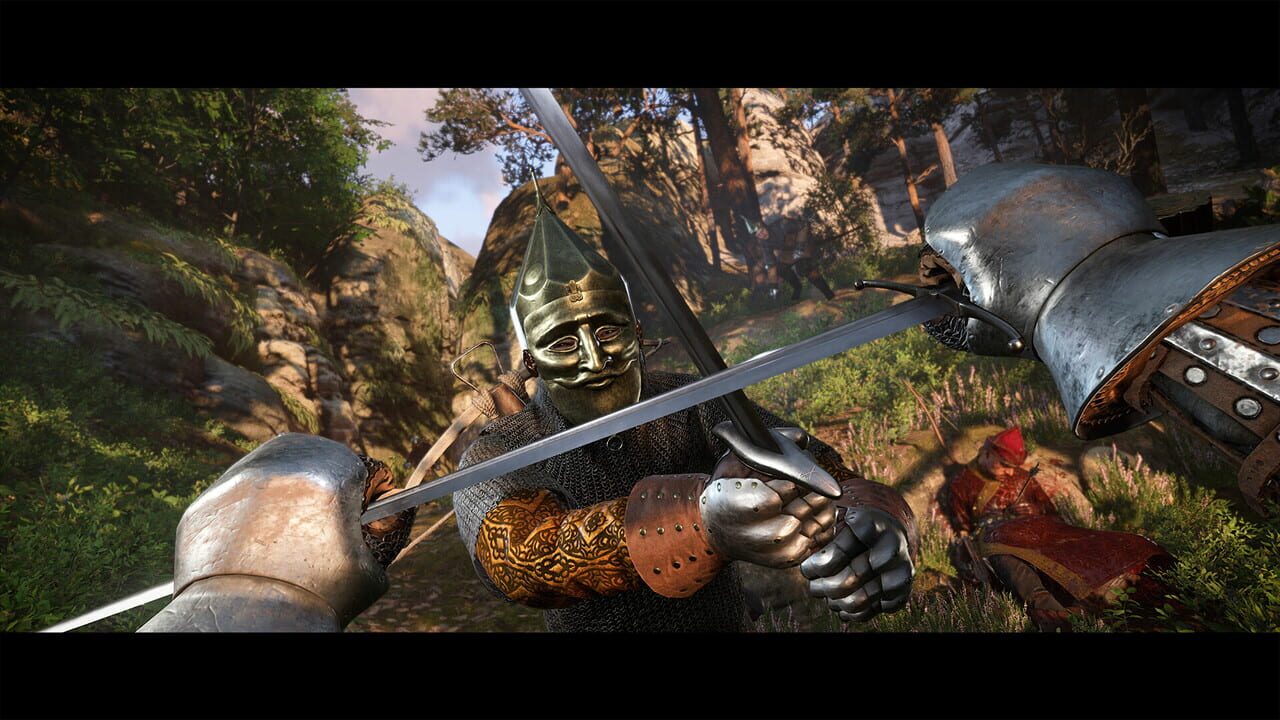
If you want to go deeper, Warhorse Studios released official Modding Tools on Steam. These include the Sandbox editor (a build of CryEngine), scripting capabilities, and debugging tools.
You don't need to be a programmer. The tools let you:
- Override existing game files without replacing them (ensuring compatibility with other mods)
- Create new items, NPCs, and quests
- Write Lua scripts for custom mechanics
- Debug your mod in real-time
If you create a mod, you can publish it to Steam Workshop for free distribution. The community guidelines are reasonable: don't commercialize your work, don't steal assets from other games, and be respectful. Warhorse Studios owns broad rights to your UGC (user-generated content) for promotion purposes, but you retain ownership.
The State of KCD2 Modding in May 2026
The modding community is mature now. The early chaos—incompatible mods, outdated documentation, creators abandoning projects—has settled. Most essential mods have stable versions. The Nexus Mods page for KCD2 has hundreds of entries, with clear filtering by category and endorsement count.
Steam Workshop is growing but still smaller than Nexus. If you're looking for something specific, check Nexus first. If you find it on Workshop, great—use that for automatic updates.
The one caveat: mods can break with major patches. KCD2 received a significant patch in March 2026 (version 1.4), and some mods needed updates. Check the mod's page for "Last Updated" dates. If it's recent, you're safe. If it's months old, verify it still works before installing.
For a first playthrough, stick with quality-of-life mods. They improve the experience without changing what the game is. For a second playthrough, go wild. Add gameplay overhauls, difficulty tweaks, and whatever sounds fun. That's the beauty of modding—you're not locked into one playstyle.
Final Thoughts
Kingdom Come: Deliverance 2 is a masterpiece of medieval immersion, but it's also brutally uncompromising. Mods don't fix that—they let you choose your own level of compromise. Want to save anywhere? Install Unlimited Saving II. Hate herb picking? Easy to See Herbs. Tired of starving? No Food Spoilage. The game respects your agency, and the mod community respects that too.
Start small. Install three or four quality-of-life mods, play for 10 hours, and see what annoys you. Then search for a mod that fixes it. That's how you build a modlist that actually enhances your experience instead of turning the game into an unrecognizable mess.
God save Henry—and happy modding.
Câu hỏi thường gặp về Kingdom Come: Deliverance II
- Ngày phát hành Kingdom Come: Deliverance II là khi nào?
- Kingdom Come: Deliverance II dự kiến phát hành vào ngày 4/2/2025.
- Kingdom Come: Deliverance II chơi được trên nền tảng nào?
- Kingdom Come: Deliverance II hỗ trợ: Xbox Series X|S, PC (Microsoft Windows), PlayStation 5.
- Kingdom Come: Deliverance II thuộc thể loại gì?
- Kingdom Come: Deliverance II thuộc thể loại: Role-playing (RPG), Simulator, Adventure.
- Có trailer chính thức của Kingdom Come: Deliverance II không?
- Có. Bạn có thể xem trailer của Kingdom Come: Deliverance II ngay trên trang này ở phần video.
Khám phá thêm
Mẹo Sinh Tồn Hardcore Minecraft 1.21 - Hướng Dẫn Chi Tiết Từ A-Z
Sinh tồn trong Minecraft 1.21 hardcore không phải là về may mắn — nó là về chuẩn bị. Hướng dẫn chi tiết này sẽ dạy bạn mọi thứ từ ngày đầu tiên cho đến cách chinh phục Trial Chambers và The End.
Hướng Dẫn Minecraft Cho Người Mới Bắt Đầu: Sống Sót Đêm Đầu Tiên & Xây Dựng Căn Nhà
Bạn mới chơi Minecraft? Hướng dẫn chi tiết này sẽ giúp bạn sống sót đêm đầu tiên, thu thập tài nguyên, và xây dựng một căn nhà an toàn. Từ crafting công cụ đến tránh mob — tất cả những gì bạn cần biết.
Minecraft Enchanting Table 2026: Những Cập Nhật Lớn Từ Bàn Phép Thuật Đến Gối Ngồi
Năm 2026 mang đến những thay đổi lớn cho Minecraft: minecraft enchanting table giờ hiển thị xác suất chính xác, cushion update cho phép bạn ngồi lần đầu tiên, và nhiều minecraft quality of life improvements khác.
5 Tính Năng Minecraft Mà Mojang Nên Thêm Vào Game Ngay Lập Tức
Minecraft vẫn tuyệt vời, nhưng nó đang thiếu những tính năng quan trọng. Đây là 5 minecraft features mojang should add mà cộng đồng yêu cầu từ lâu, và một số thậm chí đã được chứng minh hoạt động tốt thông qua các mod.